Your first flow
Create your first flow, reuse prompts with templates, follow and steer the agents while they work, and download the report at the end.
A flow is one run of PentAGI: a goal, the taskstaskOne request in a flow: its first message, or a later message that does not answer an agent's question. PentAGI splits each task into subtasks. created from your messages, and everything the agentsagentAn AI agent of PentAGI: a model with its own prompt, settings and tools that does one kind of work in a flow, such as testing, writing code or searching the web. did along the way.
Create a flow
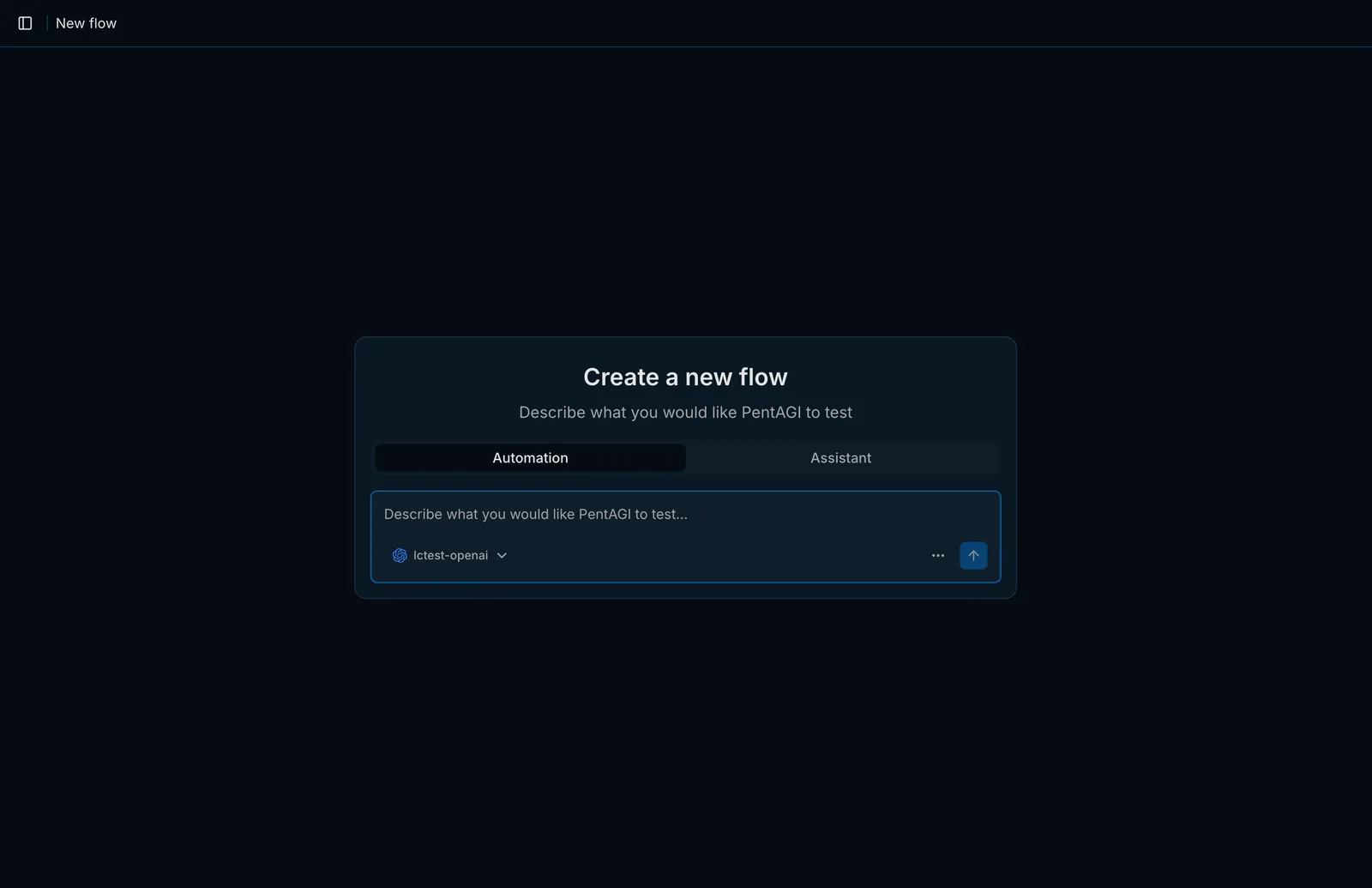
Open Flows in the sidebar and click New Flow.
Choose a mode:
- Automation — PentAGI carries out the goal end to end on its own.
- Assistant — an interactive conversation you steer step by step. Turn on Use Agents to let the assistantassistantThe interactive mode: you work with an agent in a chat and decide on the next step together. delegate subtaskssubtaskOne step of a task. PentAGI plans the subtasks of each task and adjusts them as the work goes on. to specialized agents.
Pick the LLM providerproviderA service or server that gives PentAGI its language models, such as OpenAI, Anthropic or a local Ollama. for this flowflowOne run of PentAGI: a goal, the tasks created from your messages, and everything the agents did along the way..
Describe the target and the objective in natural language.
A good first prompt names the target, the kind of assessment, the scope limits and the result you expect:
Assess https://target.example for common web application vulnerabilities.
Focus on authentication, file handling, and injection issues. Stay within the
provided target only and summarize confirmed findings with reproduction steps.
Only test systems you own or are explicitly authorized to assess.
Reuse prompts with templates
The new-flow form has a templatetemplateSaved text that PentAGI reuses. A template saved in Templates fills in the first message of a new flow; in Enterprise, a report template sets the sections of a report and their order, so different templates produce different documents for the customer, the engineers and management. picker that prefills the message from a saved template in Templates. Templates are plain natural language — no special syntax is required.
Follow the work
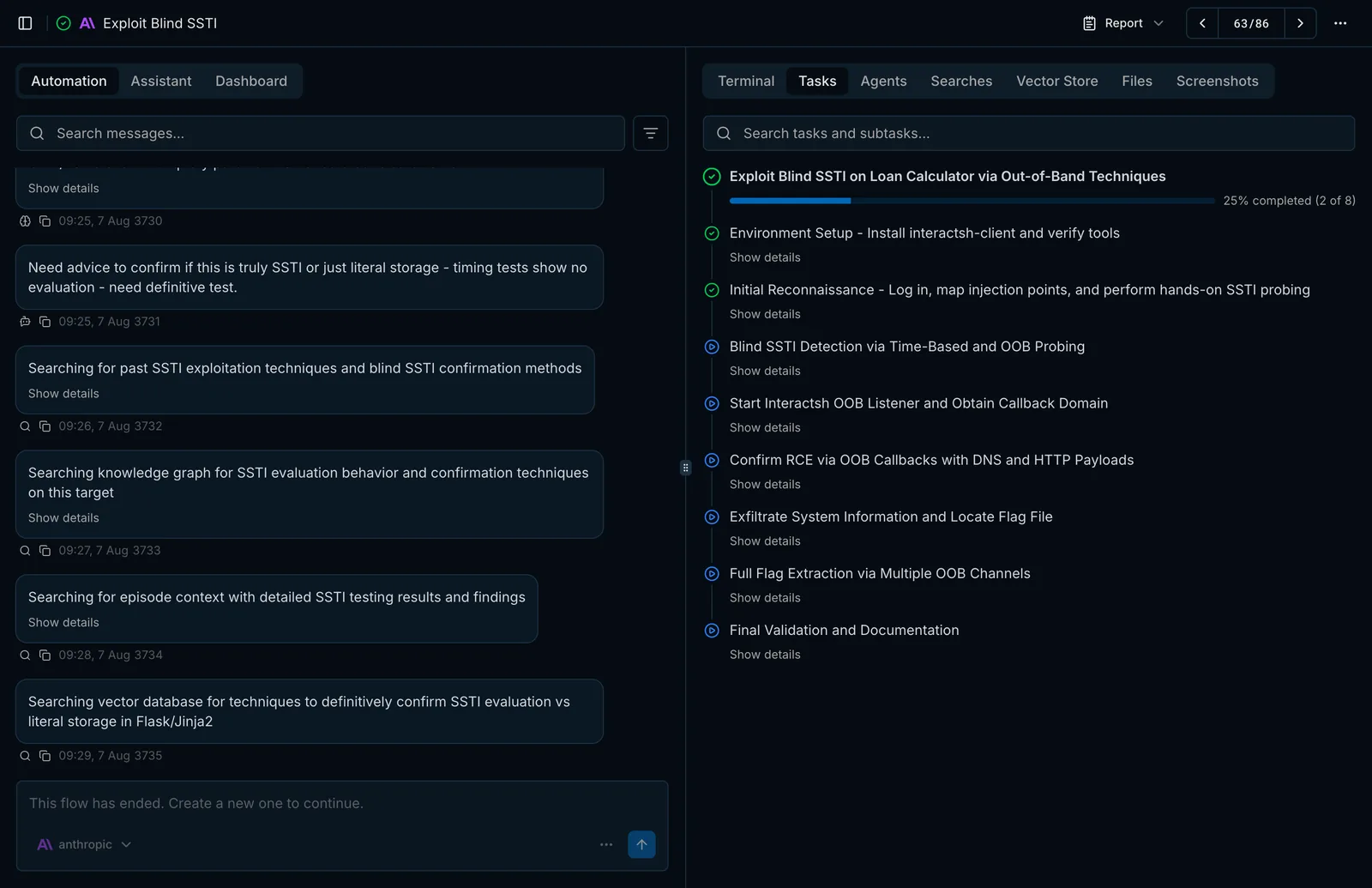
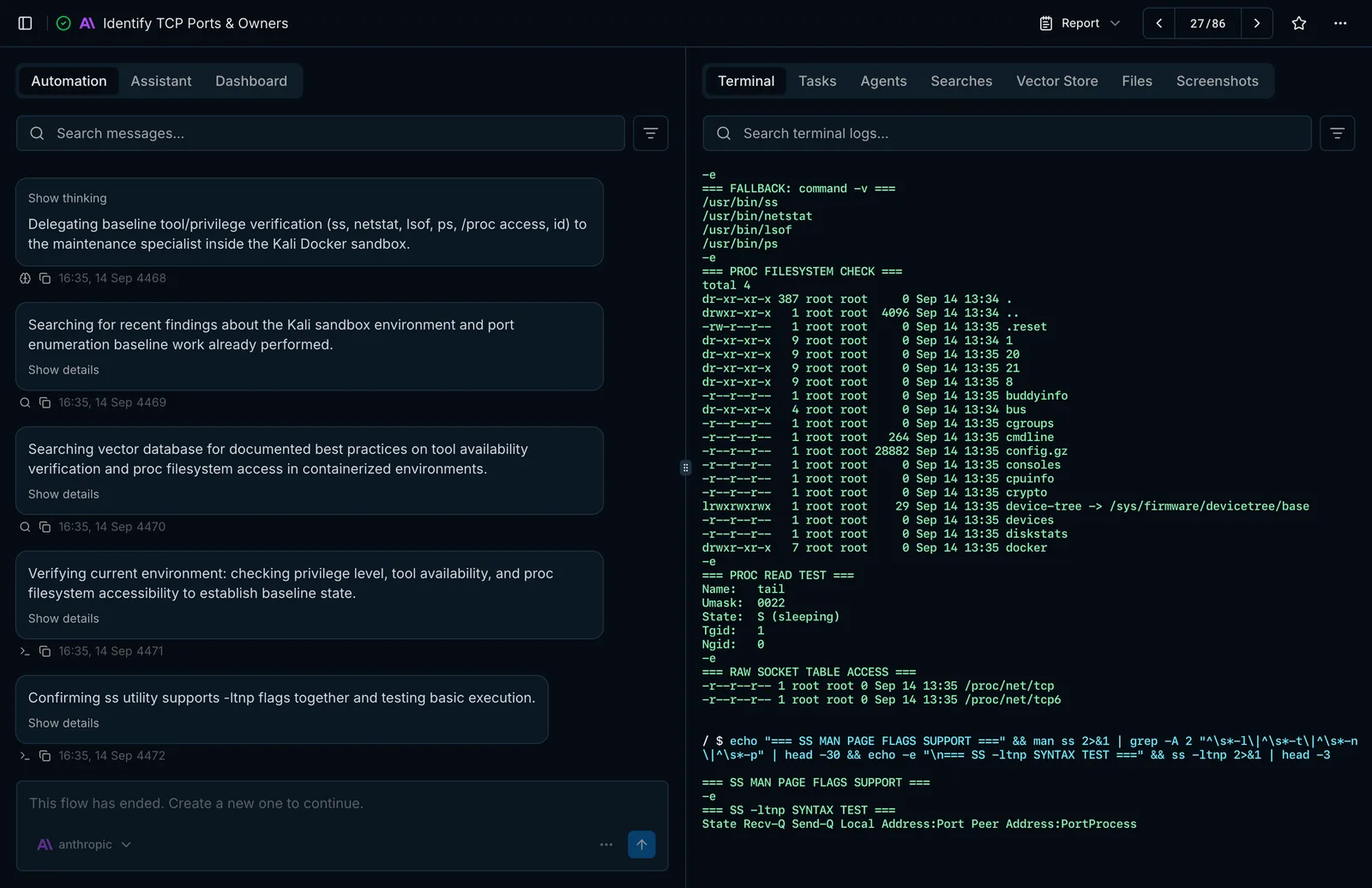
PentAGI opens the flow page as soon as the flow starts:
- Automation shows the agents' messages and progress; Assistant is a chat with the same toolstoolWhat an agent acts through: a built-in capability such as the terminal, the isolated browser or web search, or a program in the sandbox such as nmap, metasploit or sqlmap., and Dashboard breaks usage down by model, agent typeagent typeThe role an agent plays, such as pentester, coder or searcher. Model settings are chosen per agent type. and function.
- Tasks lists the plan — tasks and subtasks with their status.
- Terminal streams every command and its output from the sandboxsandboxThe isolated Docker container in which agents run their tools. The interface shows it as Terminal..
- Agents, Searches and Vector Store show delegation, web research and memorymemoryWhat agents keep so they can build on earlier work instead of starting from scratch: long-term, working and episodic memory. lookups.
- Files holds uploads, attached resources and files pulled from the container, and Screenshots keeps screenshots of the pages the agents opened.
Steer a running flow
Open the Assistant view of the same flow to check its state, stop the current task, send follow-up instructions or adjust the remaining planned subtasks — without restarting the flow.
Get the report
Use the Report menu on the flow page to open the reportreportThe document PentAGI writes about a flow and its findings. In Enterprise, it is a customer-ready document built from a template. on the web, copy it, or download it as Markdown or PDF.
Start with a narrow target and a single clear objective. Short, focused flows are easier to review and help you refine prompts before larger flows.
Last updated on
Manual installation
Deploy PentAGI by hand with Docker Compose — create the working directory, fill in the .env file, add an LLM provider and start the stack.
Autonomous penetration testing
What autonomous penetration testing is, how PentAGI carries a test from a goal to a report, and where people stay in control.