PentAGI Enterprise 3.0
From autonomous flows to client-ready deliverables
Customer-ready reports, agent profiles with sub-agents, plugins and your own MCP servers, and a live attack-chain view — on the same self-hosted platform as the open-source edition.
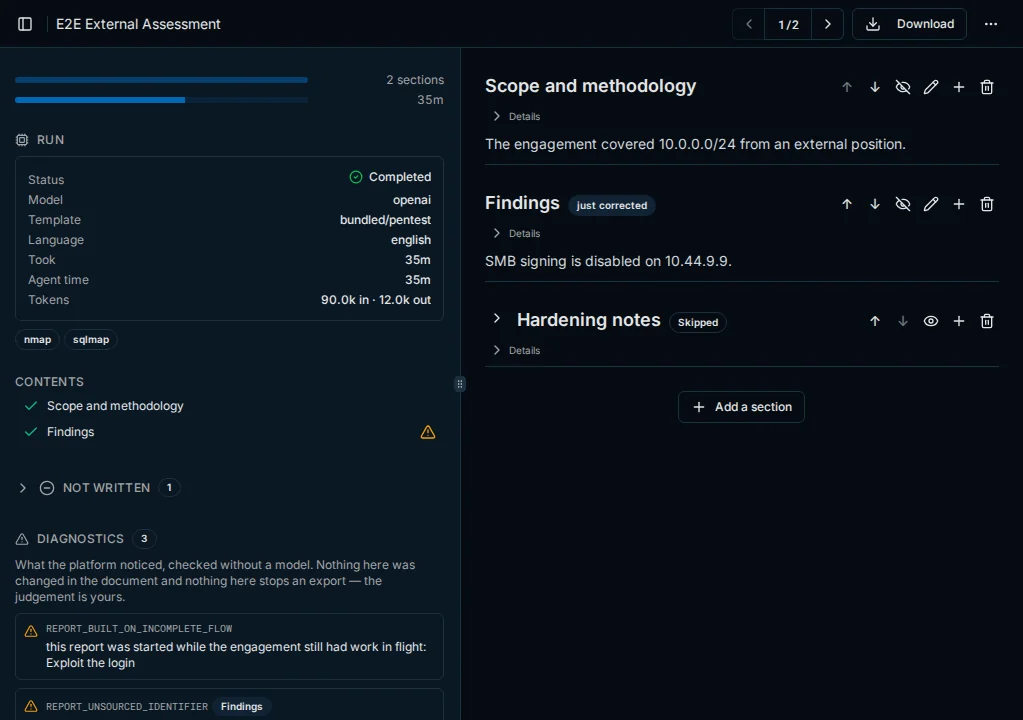
Reports your client can read
Templates define the document; a composer agent writes the narrative from the flow's record, and the tables are assembled without a model.
- One chapter per finding with severity, proof of concept, impact and remediation
- Diagnostics flag identifiers that never appeared in the flow, without a model
- Corrections in plain language, applied by a reviser agent
- PDF or DOCX with your logo and cover page, or Markdown
The right agent for every subtask
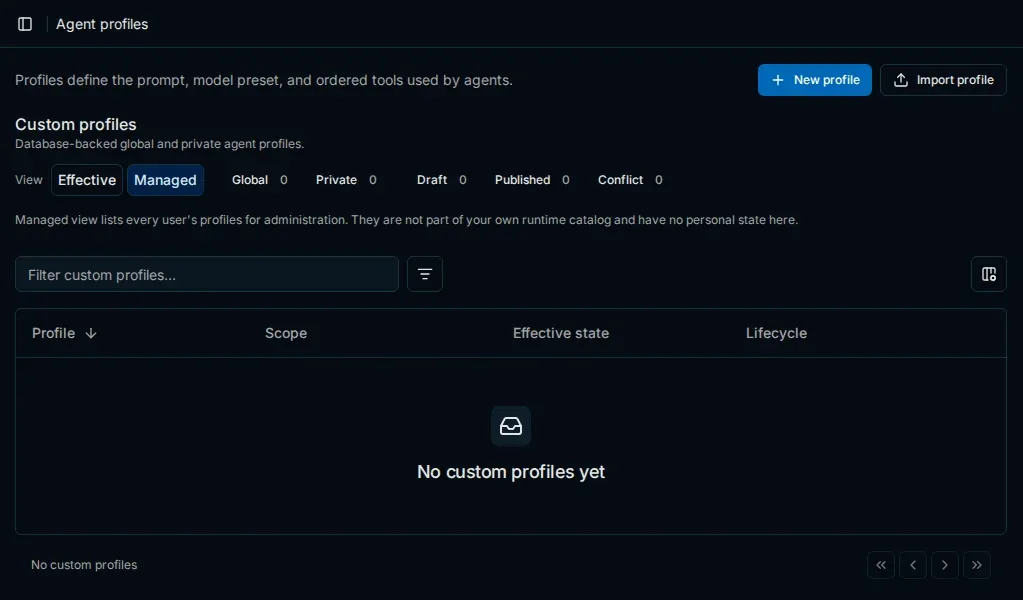
A planner picks a profile — role, base prompt, model preset and tools — for each subtask.
- Built-in profiles for recon, pentesting, coding, research and reporting
- Your own profiles in Settings, created or imported
- Sub-agents for parallel work inside a subtask
- Budgets on time, subtasks per task and concurrent sub-agents
Your tools through plugins and MCP
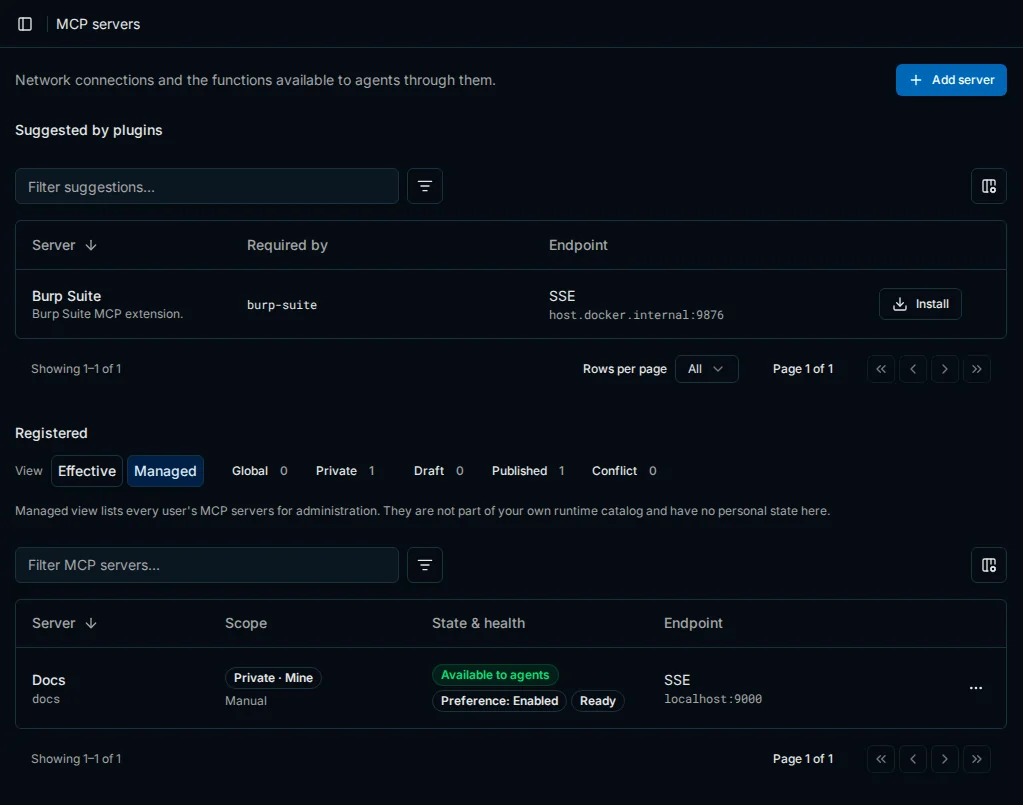
Agent Plugins in the open agent-plugins.org format bring skills, MCP servers and profiles.
- Planners see a short description; chosen skills go into the agent's prompt
- Your own MCP servers over Streamable HTTP or HTTP with SSE
- Credentials set at installation and never returned by the API
The attack chain, live
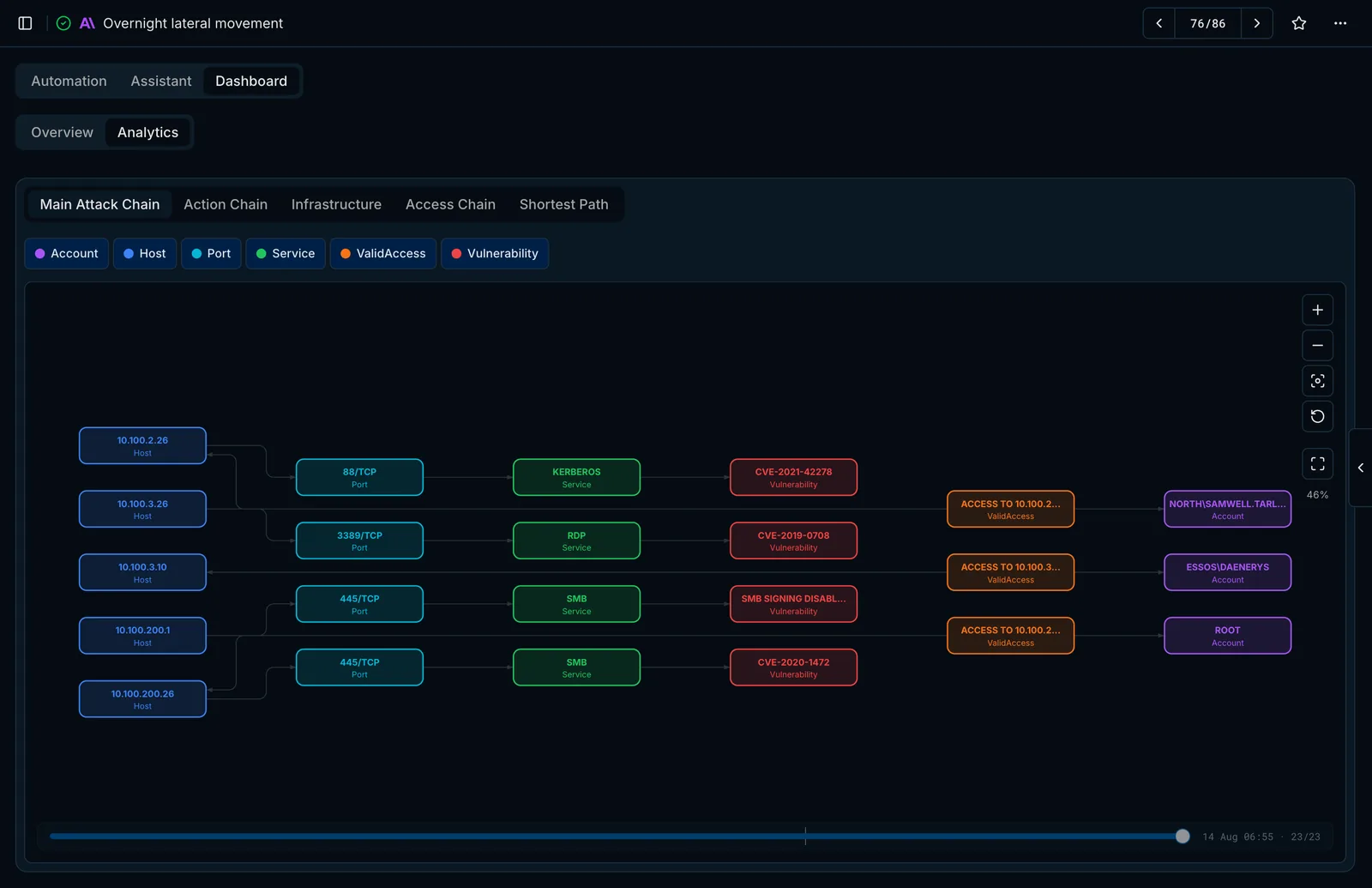
The knowledge graph links hosts, ports, services, vulnerabilities, access and accounts as the agents work.
- Main attack chain, action chain, infrastructure, access chain and privilege escalation chain
- A timeline to replay how the picture developed
- Tables of open ports, detected CVEs and credential status
Compare editions
Open source and Enterprise, side by side
Open Source gives you the complete autonomous testing engine: agents, tools, memory and teamwork. Enterprise adds the client-ready document, savings in time and tokens, and integration with your own tooling.
| Capability | Open Source | Enterprise |
|---|---|---|
Testing and automation | ||
| Autonomous task execution | Included | Included |
| Interactive assistant | Included | Included |
| Multiple tasks per flow | Base limit | Up to 50 tasks |
| Faster follow-up tasks | Not included | Included |
| Parallel execution | Up to 50 flows | + within a task |
| Execution budgets | Not included | Included |
AI agents | ||
| Specialized agents | 13 agents | 50+ roles |
| Agent profiles matched to the task | Not included | Included |
| Planning and progress control | Included | Extended |
| Result verification | Not included | Included |
Memory and knowledge | ||
| Long-term memory during work | Vector search | + dedicated retrieval agent |
| Knowledge base across flows | Included | Included |
| Graph representation of findings | Included | In-house engine |
| Knowledge visualization in the UI | Not included | Included |
| Context management | Basic | + presets per task type |
| Sensitive-data integrity | Not included | Included |
Tools and integrations | ||
| Kali Linux toolset | Included | Included |
| Web search and reconnaissance | Included | Included |
| Connect your own MCP servers | Not included | Included |
| Bundled MCP gateway | Not included | Included |
| Plugins and skills | Not included | Included |
| Custom functions and public API | Included | Included |
Browser, files, terminal | ||
| Page capture and screenshots | Included | Included |
| Browser automation | Selenium | + Playwright |
| Upload your own files | Included | Included |
| Saving files from the sandbox | Manual | Automatic |
| Files attached to the report | Not included | Included |
| Interactive terminals | Not included | Included |
Reporting and analytics | ||
| Exporting results | Markdown, PDF | + DOCX |
| Report templates per purpose | Not included | Included |
| Severity rating and remediation | Manual | Automatic |
| Custom branding | Not included | Included |
| Live monitoring | Included | Included |
| Findings analytics and attack chain | Not included | Included |
Deployment and teamwork | ||
| Installer with a setup wizard | Included | Included |
| Any LLM provider | Included | Included |
| Multi-user access and RBAC | Included | Included |
| Isolated execution | Included | Included |
| Observability stack | Included | Included |
| Commercial support | Not included | Included |
Licensing and support
Licenses are issued and managed in the PentAGI Console. Enterprise comes with a commercial license, a direct line to the product team and priority response.